Java Edition on Windows
Auto Clicker
for Minecraft.
Swings your sword on a timer at a Java Edition mob farm while you're away. Press F6 to stop it.
Windows 10 and 11 · Version 6.7.5 · 10 MB · Installs in under a minute



0 clicks
Stopped
Free Every feature. No ads and no trial period.
Signed By TryAutoClicker. Windows checks the file before it opens.
F6 One key starts it and stops it, inside any game.
No account Download it, open it, start clicking.
A sword needs time to recharge.
In Java Edition a sword has to recharge after every swing. The Minecraft Wiki gives the recharge as 0.625 seconds, and says a swing made sooner does less damage.
By that rule, clicking faster than the recharge makes every hit a weak one. The setup on this page starts at one click every 700 milliseconds, a little longer than the recharge. Players at sword farms report settings from 625 milliseconds to 1 second.
Clicking too fast faster than the recharge
Swing Weak hits
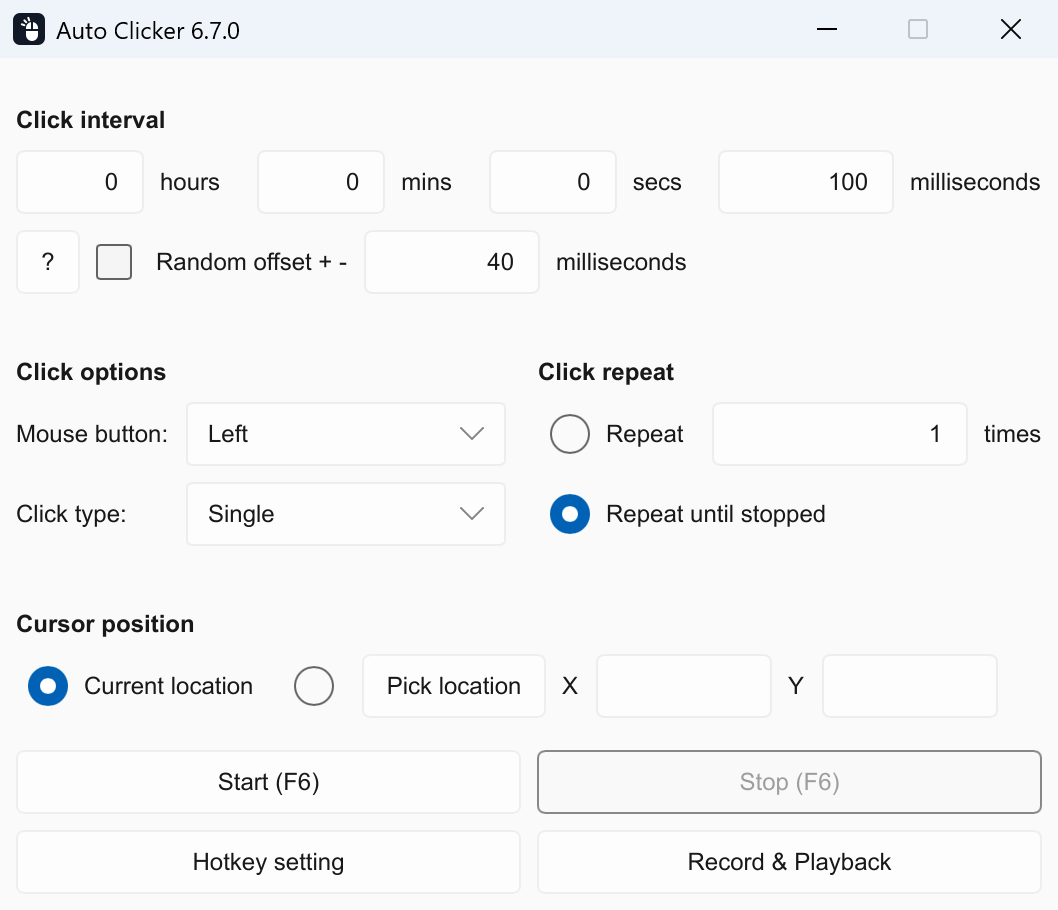
With Auto Clicker 1 click every 700 ms
Swing Full-strength hits
How to set up Auto Clicker for Minecraft.
Seven steps. You need Minecraft Java Edition on a Windows PC, a farm that brings mobs within reach of your sword, and Auto Clicker open beside the game. Use it in a single-player world, or on a server whose rules allow it.
Stand at the killing spot with a sword
Hold your sword and stand where the farm brings the mobs within reach. Put the crosshair on the target the farm is built for, and stand still.
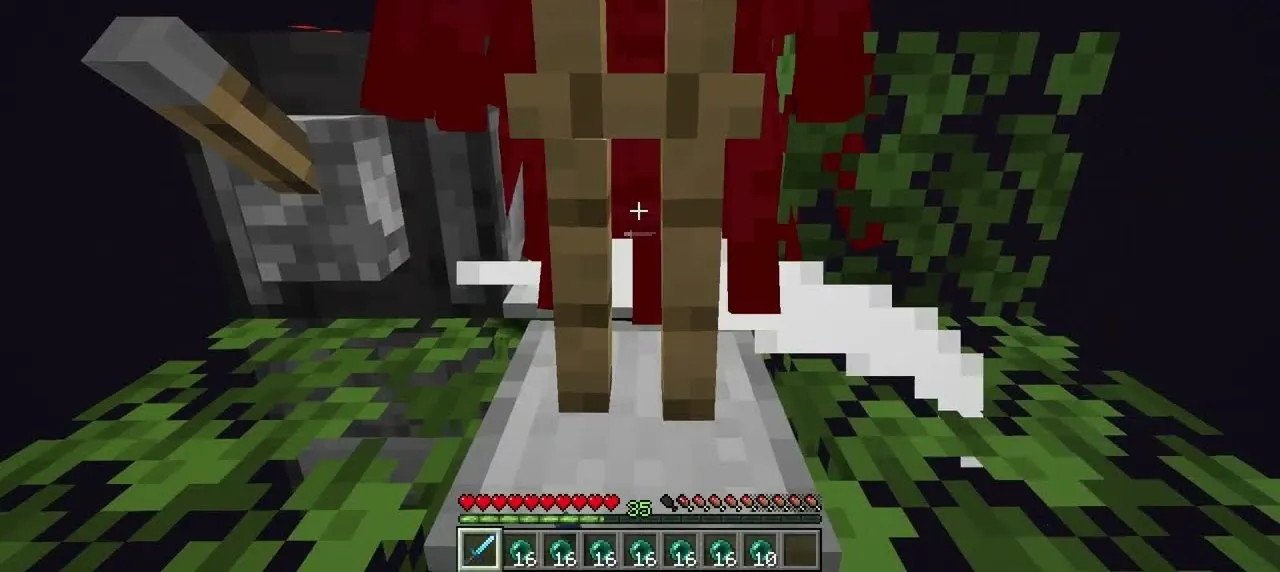
In single-player, press F3 and P once
The Minecraft Wiki says a single-player world pauses when you leave the Minecraft window, and that F3 and P pressed together turn that off. Press them once, so the farm keeps running if another window comes to the front. On a server the game carries on anyway.
F3+PSet the click interval to 700 milliseconds
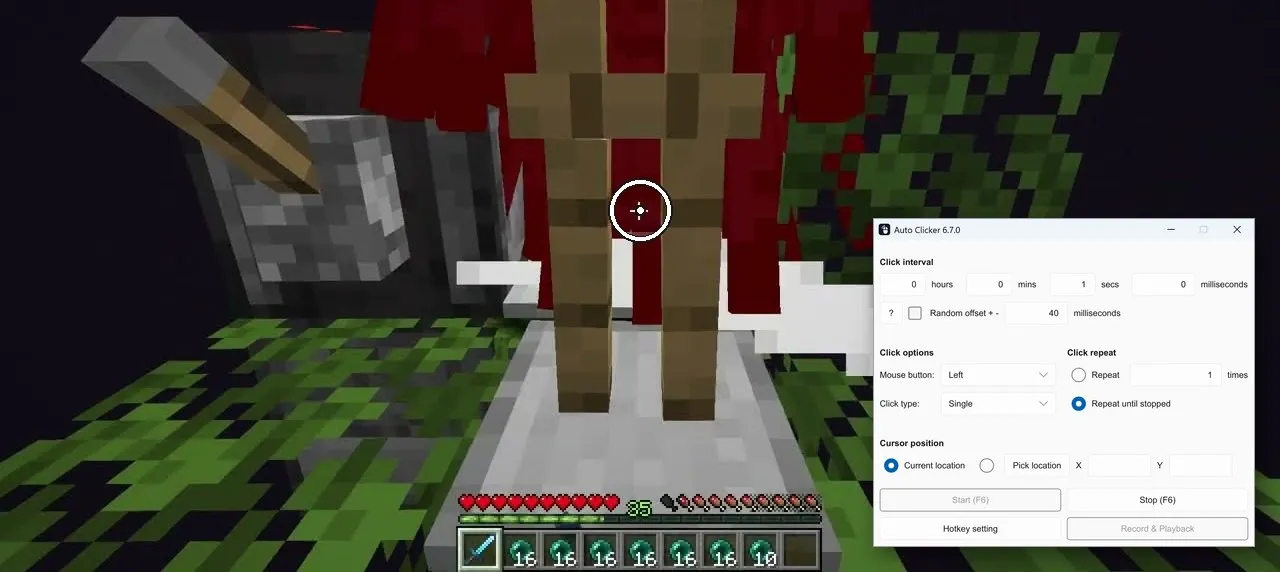
Under Click interval, enter 700 in milliseconds and 0 in the other boxes. That is a little longer than the 0.625 seconds the Minecraft Wiki gives for a sword's recharge. At 700 milliseconds every click swings the sword and every hit lands at full strength. If hits come out weak, set 1 second: 1 in secs and 0 in milliseconds.

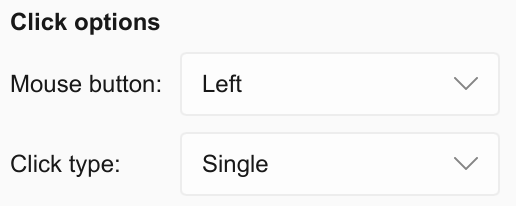
Choose Left and Single
Under Click options, set Mouse button to Left and Click type to Single. Left is the button that swings the sword.
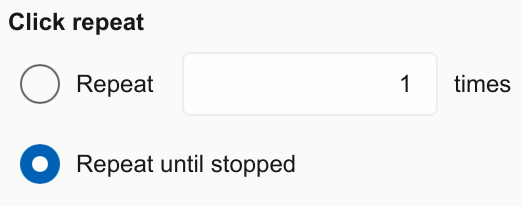
Choose Repeat until stopped
Under Click repeat, so it keeps swinging until you stop it.
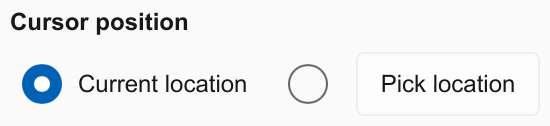
Leave Cursor position on Current location
Under Cursor position, keep Current location, which clicks wherever the pointer is. You aim with the crosshair yourself. Don't use Pick location in Minecraft: players report that a picked spot throws the view to the sky or the floor on every click.
Close every screen, then press F6
Close chat, the inventory and any menu, so only the crosshair shows. Players report that a click swings nothing while one of them is open. Then press F6: it starts and stops Auto Clicker while Minecraft is the window in front.
Stay in the Minecraft window. Auto Clicker clicks wherever the pointer is. If you switch to another window, the clicks land in that window, not in Minecraft. Press F6 before you switch.
Hunger. The Minecraft Wiki says every attack that lands costs a little hunger, and its raid farm tutorial recommends a beacon set to Regeneration for long sessions on Hard difficulty. Players at sword farms use one too.
Sword wear. The wiki says every hit on a mob costs the sword 1 durability. Players say Mending keeps it repaired while experience reaches you. Without Mending, choose Repeat under Click repeat and enter a number of clicks smaller than the hits your sword has left. Auto Clicker stops by itself when it reaches that number.
Keep the PC awake. Auto Clicker can't click while your PC is locked or asleep. Before you leave, check when Windows turns off the screen and sleeps, in its power settings.
Click it, or press F6
You can always stop it.
F6 stops the clicking from inside any game or program, including full-screen ones.
- If another program has already taken F6, Auto Clicker tells you and won't start until you choose a shortcut that works.
- You can change the shortcut to another function key or to a key combination.
Auto clicker not working in Minecraft?
Six problems Java Edition players report, and what to do about each. For Bedrock Edition, see Where it doesn't work.
I needed the button held down
Mining, chopping and cobblestone generators need the button held, and Auto Clicker clicks without holding. Minecraft has its own setting for that. Mojang's notes for Java Edition 1.21.9 say Attack/Destroy can be set to Hold or Toggle in the Controls screen. Open Options, then Controls, and set Attack/Destroy to Toggle. Players say it holds the button and doesn't click, so it won't swing a sword again and again.
The game pauses or the menu opens when I switch windows
The Minecraft Wiki says Java Edition opens the game menu when you leave its window, and that a single-player world stops behind the menu. Press F3 and P together once to turn that off. It doesn't let Auto Clicker click Minecraft from behind another window: Auto Clicker clicks wherever the pointer is, so Minecraft has to stay in front. Players who want to use the PC meanwhile use a mod that clicks inside the game, in single-player or where the server allows it.
My hits are weak
The Minecraft Wiki gives a sword's recharge as 0.625 seconds in Java Edition, and says a swing made sooner does less damage. If your interval is shorter than that, set it to 700 milliseconds or more. Players choose 1 second where a weak hit is dangerous, as at a raid farm.
I came back dead, or my sword had broken
Players report three causes. Hunger: the Minecraft Wiki says every attack that lands costs some, and that starving kills on Hard difficulty. The sword: every hit costs durability, and players say Mending repairs it only while experience reaches you. Thorns: one player found that mobs in Thorns armour were knocking them back into water, where they drowned. Players' answers are a beacon set to Regeneration, and a longer interval where the farm only needs its mobs finished off: they report anything from 14 seconds to a few minutes.
It works everywhere except Minecraft
One Java Edition player with this problem reports fixing it by giving their auto clicker administrator rights. Auto Clicker never asks for administrator rights, and Windows blocks clicks from ordinary programs in a program that runs as administrator. So the likely cause is Minecraft running as administrator. Close Minecraft and the Minecraft Launcher, then open the launcher the usual way, without "Run as administrator".
The view jumps to the sky or the floor
Players report this when their auto clicker is set to click a picked spot. The fix they give is not to pick one. Under Cursor position, choose Current location, and aim with the crosshair yourself.
Is it safe to download?
Yes. It is signed and it installs only itself.
Made by TryAutoClicker. We're a team of hobbyists who love building software and want it to be free for everyone. Contact us
Download for WindowsIt is signed by TryAutoClicker. Windows checks the file before it opens, so you know it is ours and hasn't been changed.
It installs one program. The installer adds Auto Clicker and nothing with it.
It keeps to itself. It shows no ads. Privacy Policy
It leaves when you tell it to. Uninstalling removes the app and your settings. How to uninstall
What people say about it.
650 ms left click at my gold farm (Java, single player), F6 to start and stop in game. Free, tiny, and it does nothing but click, which is all I want from an exe.
put it on 700ms at my xp farm on our realm and now i just stand there getting levels. was scared of minecraft autoclicker viruses but this one is signed and has no ads
One click every 15 seconds, set to stop after a number of clicks, and my sword finally survives the night. It remembers my settings, so now it’s F6 and bed.
Where it doesn't work.
Minecraft Bedrock Edition
Players report that since an update in late October 2025, Bedrock Edition on Windows ignores most clicks from auto clickers. Auto Clicker's clicks don't register there either. On phones, tablets and consoles Auto Clicker doesn't run at all: it is for Windows computers only.
Mining, eating, fishing and other held-down buttons
Auto Clicker clicks the mouse. It doesn't press keys or hold a button down. For mining, Java Edition 1.21.9 and later has its own setting: see the first fix above.
Minecraft in the background or minimised
Auto Clicker clicks wherever the pointer is, so Minecraft has to be the window in front. It can't click Minecraft while you use the PC for something else.
Needs Windows 10 (version 1809 or later) or Windows 11, 64-bit.
Questions Minecraft players ask.
Longer answers and step-by-step guides are in the docs.
How fast should an auto clicker click for a sword in Minecraft?
The Minecraft Wiki gives a sword's recharge in Java Edition as 0.625 seconds, and says a swing made sooner does less damage. Players at sword farms report settings from 625 milliseconds to 1 second. The setup on this page starts at 700 milliseconds, and goes to 1 second if hits come out weak.
Will I get banned for using an auto clicker in Minecraft?
That depends on where you play. In your own single-player world, no published rule of Mojang's covers it. On a server the server's rules decide, and some large servers, Hypixel among them, ban auto clickers. Check your server's rules before you use it. Auto Clicker doesn't hide its clicks and can't protect an account.
Does Minecraft have its own auto clicker?
No. Mojang's notes for Java Edition 1.21.9 say the attack and use buttons can each be set to Toggle in the Controls screen. Players say that holds the button down and doesn't click, so it mines but won't swing a sword again and again. Clicking on a timer takes a separate program, such as Auto Clicker.
Can it keep clicking while Minecraft is tabbed out or minimised?
No. Auto Clicker clicks wherever the pointer is, so the clicks follow you to whatever window you switch to. Minecraft has to stay in front while it runs.
Does it work in Minecraft Bedrock Edition?
The setup on this page is for Java Edition. Players report that since an update in late October 2025, Bedrock Edition on Windows ignores most clicks from auto clickers. Auto Clicker's clicks don't register there either. The Minecraft Wiki says Bedrock farms kill with a trident killer, a machine that needs no clicking.
Get Auto Clicker for Minecraft.
Free for Windows. Press F6 to start and F6 to stop.
Windows 10 and 11 · Version 6.7.5 · 10 MB · Installs in under a minute
Not an official Minecraft product. Not approved by or associated with Mojang or Microsoft.