Web and Steam, on Windows
Auto Clicker
for Cookie Clicker.
Clicks the big cookie ten times a second until you press F6, so your hand can rest.
Windows 10 and 11 · Version 6.7.5 · 10 MB · Installs in under a minute



0 clicks
Stopped
Free Every feature. No ads and no trial period.
Signed By TryAutoClicker. Windows checks the file before it opens.
F6 One key starts it and stops it, inside any game.
No account Download it, open it, start clicking.
Faster than 20 milliseconds gains nothing.
Cookie Clicker's own code ignores a click on the big cookie that comes less than 20 milliseconds after the last one it counted. So the game counts 50 clicks a second at most, however fast they come.
By that rule, an auto clicker set to 1 millisecond has 19 of every 20 clicks dropped. Players who set theirs to 1 or 2 milliseconds report lag, dropped frames and stuttering sound.
The setup on this page starts at 100 milliseconds, ten clicks a second, and then says how to go faster.
Set to 1 millisecond most clicks dropped
Click 1 click in 20 counts
With Auto Clicker 1 click every 25 ms
Click Every click counts
How to set up Auto Clicker for Cookie Clicker.
Six steps. You need Cookie Clicker open on a Windows PC, in your browser or from Steam, with Auto Clicker open beside it. The setup is the same for both, and the clicks land in both.
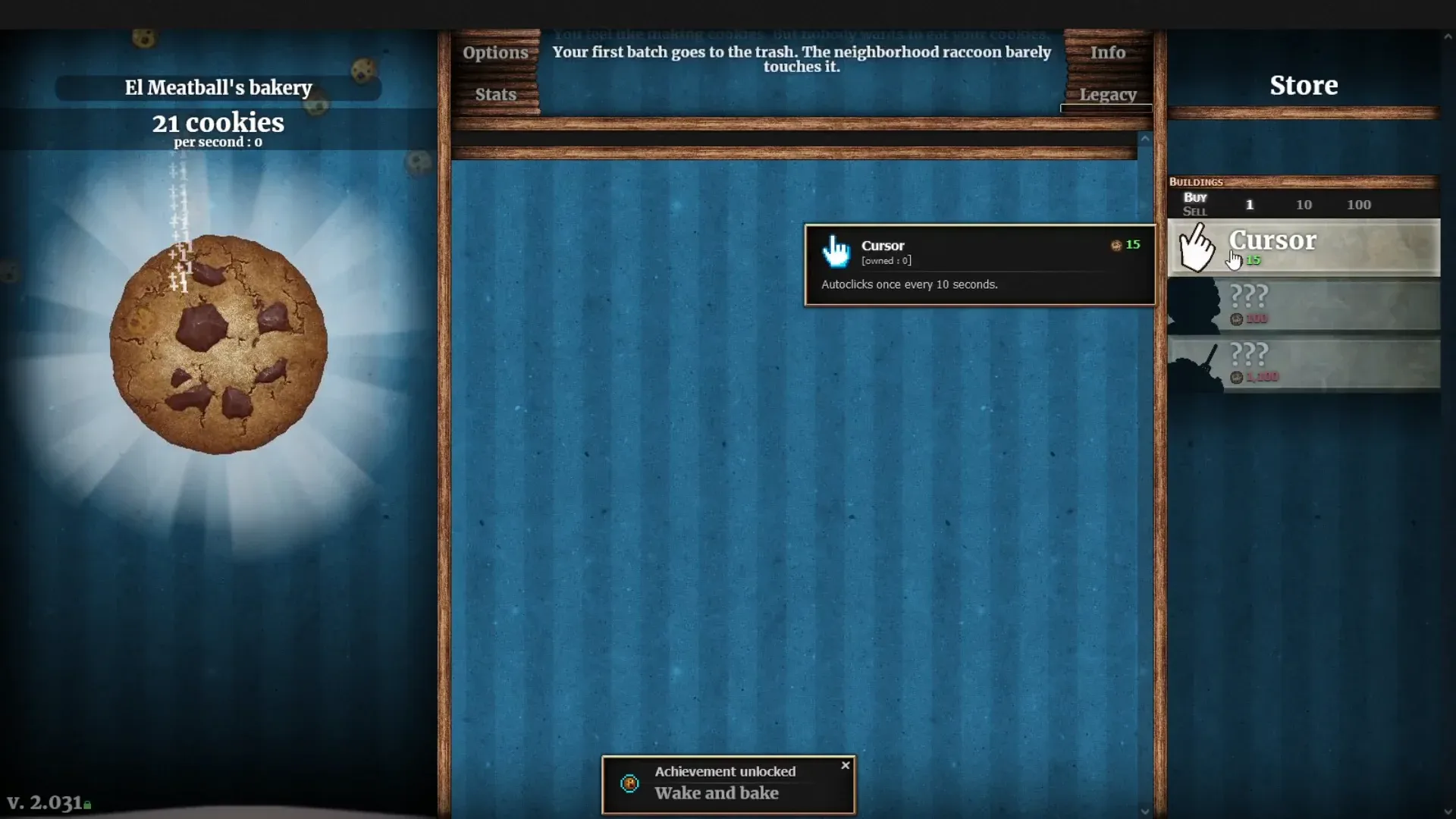
Open Cookie Clicker and leave the big cookie showing
Put the game where it will stay, with nothing over the big cookie.
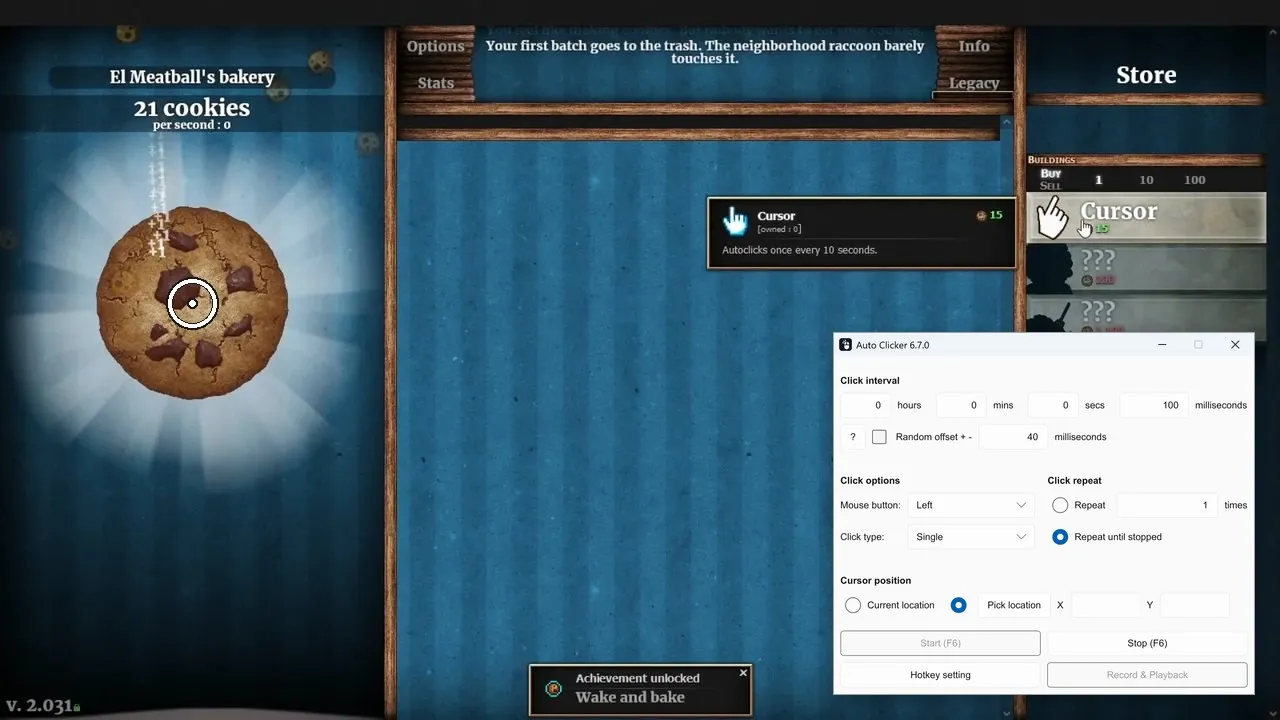
Set the click interval to 100 milliseconds
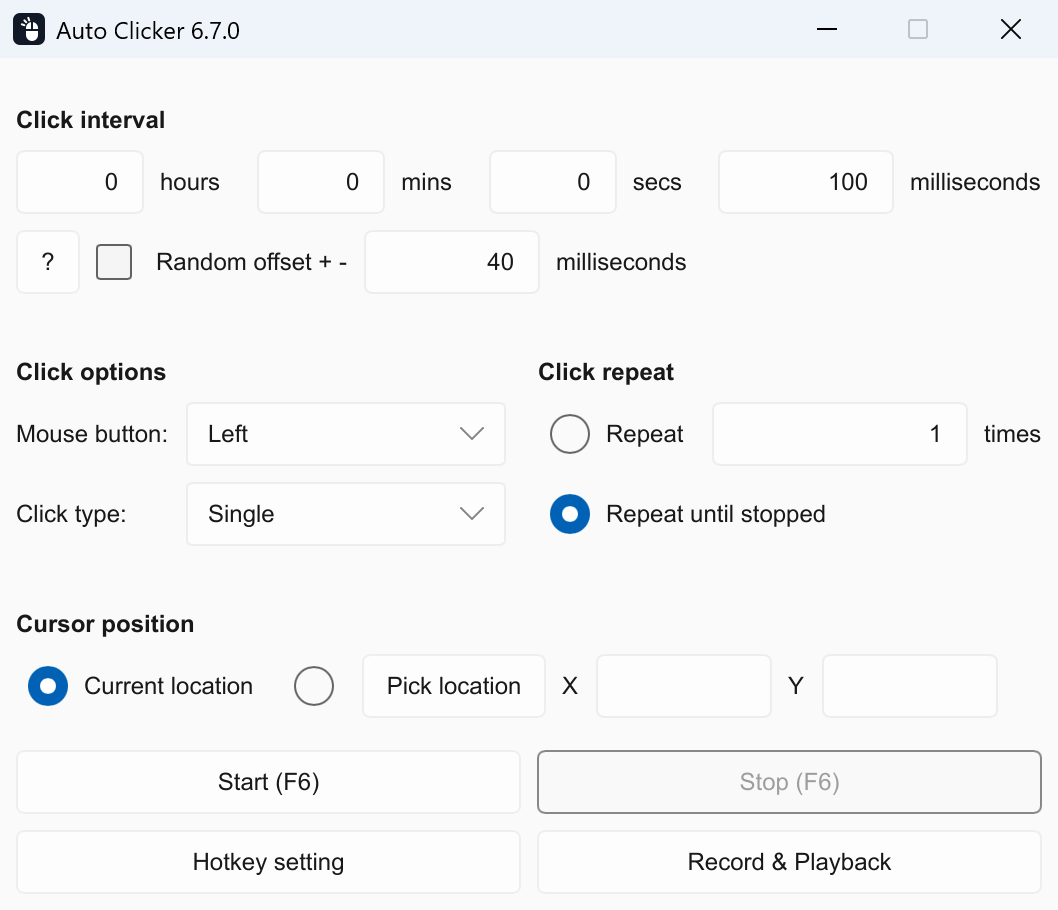
Under Click interval, enter 100 in milliseconds and 0 in the other boxes. That is ten clicks a second.

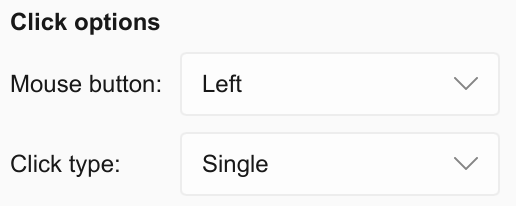
Choose Left and Single
Under Click options, set Mouse button to Left and Click type to Single.
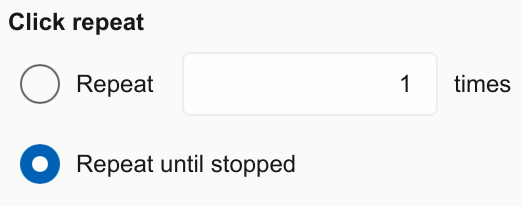
Choose a number of clicks, or Repeat until stopped
Under Click repeat, choose Repeat and enter a number of clicks, and Auto Clicker stops by itself when it has made them. At ten clicks a second, 10,000 clicks take about 17 minutes. Or choose Repeat until stopped, and stop it yourself.
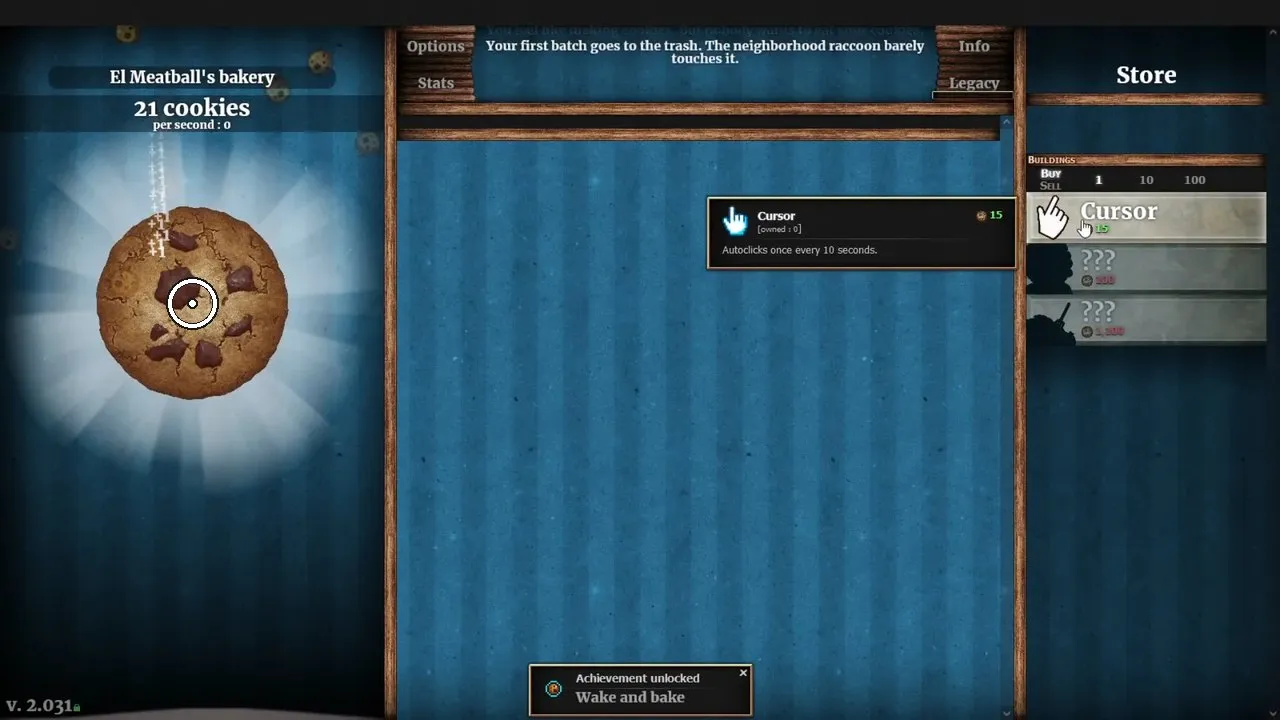
Pick the middle of the big cookie
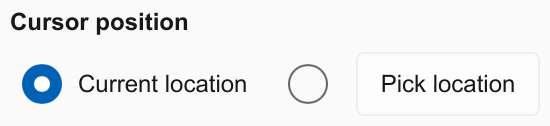
Under Cursor position, press Pick location. The screen dims. Click the middle of the big cookie.
Press F6
Auto Clicker clicks the big cookie ten times a second until you press F6 again, or until it has made the clicks you entered. The game counts every one of them.
Going faster. The game's code ignores a click that comes less than 20 milliseconds after the last one it counted, so an interval shorter than 20 milliseconds adds no cookies. To go faster, set 25 milliseconds. That is a little over the limit, and every click still counts. Leave Click type on Single. The second click of a Double comes inside the 20 milliseconds, so the game counts one click for the pair.
Keep the big cookie showing. Auto Clicker clicks a spot on the screen. Leave the big cookie showing at that spot with no other window on top of it, don't move, resize or scroll the game after you pick the spot, and keep the Auto Clicker window off it.
Click it, or press F6
You can always stop it.
F6 stops the clicking from inside any game or program, including full-screen ones.
- If another program has already taken F6, Auto Clicker tells you and won't start until you choose a shortcut that works.
- You can change the shortcut to another function key or to a key combination.
Auto clicker not working on Cookie Clicker?
Five problems Cookie Clicker players report, and what to do about each.
It works everywhere except the Steam game
Players report this with the Steam version: their auto clicker works everywhere else on the PC and does nothing in the game. One found that it still worked in the web version. The fix they report is starting their auto clicker as administrator. Auto Clicker never asks for administrator rights, and Windows blocks clicks from ordinary programs in a program that runs as administrator. So the likely cause is Steam running as administrator. Close Cookie Clicker and Steam, then open Steam the usual way, without "Run as administrator".
A faster setting gives no more cookies, and the game lags
The game's code ignores a click that comes less than 20 milliseconds after the last one it counted, so a shorter interval adds nothing. Players who set 1 or 2 milliseconds report dropped frames, lag and click sounds that pile up. Set 100 milliseconds. If the game still lags, its own options say that turning off Particles and Fancy graphics may improve performance.
The Steam game slows down when it is minimised or covered
Players of the Steam version report that it slows to a crawl or pauses when it is minimised, or when another window covers it. They keep it in a window with at least part of it showing. Auto Clicker needs the big cookie showing at the spot you picked in any case.
It misses golden cookies
The game's code puts each golden cookie at a random place, and Auto Clicker clicks one spot. Press F6 to stop it, click the golden cookie yourself, then press F6 again.
My browser extension clicks only about three times a second
The game's code counts a click made by a script three times a second at most, and a click of the mouse 50 times. A script's click is the kind a browser extension or a bookmarklet sends, and the maker of one extension measured about three a second counted. Auto Clicker clicks the mouse itself. The game counts its clicks as clicks of the mouse.
Is it safe to download?
Yes. It is signed and it installs only itself.
Made by TryAutoClicker. We're a team of hobbyists who love building software and want it to be free for everyone. Contact us
Download for WindowsIt is signed by TryAutoClicker. Windows checks the file before it opens, so you know it is ours and hasn't been changed.
It installs one program. The installer adds Auto Clicker and nothing with it.
It keeps to itself. It shows no ads. Privacy Policy
It leaves when you tell it to. Uninstalling removes the app and your settings. How to uninstall
What people say about it.
used it at 100ms to get through the early game before my first ascension and i dont regret it lol. free, no ads, and it just clicks the cookie without touching the game
20 ms on the big cookie, F6 on when a Click frenzy pops and off when it ends. It’s only a clicker, so nothing weird happens to your save.
Arthritis had more or less ended Cookie Clicker for me until I set this to 8 clicks a second. It’s signed, free, and I didn’t have to make an account.
Where it doesn't work.
Golden cookies and reindeer
They appear in random places, and Auto Clicker clicks one spot. Click them yourself.
Cookie Clicker in the background
Auto Clicker clicks a spot on the screen, so the big cookie has to be showing there. It can't click the game while it is minimised or behind another window.
Needs Windows 10 (version 1809 or later) or Windows 11, 64-bit.
Questions Cookie Clicker players ask.
Longer answers and step-by-step guides are in the docs.
Is an auto clicker cheating in Cookie Clicker?
We found no ban or penalty for one in the game's own code, which we read in the web version on 15 November 2026. The code does notice fast clicking, and what it does then is give an ordinary achievement, "Uncanny clicker". It gives the achievement "Cheated cookies taste awful" for two things, holding more cookies than you have ever baked and opening the debug menu, and clicking at any speed is neither. Players disagree on whether it is cheating. The r/CookieClicker FAQ, read the same day, leaves it to you, and says the players' leaderboard allows auto clickers under its general rules and not under its competitive ones. Auto Clicker doesn't hide its clicks.
How fast should an auto clicker click in Cookie Clicker?
Start at 100 milliseconds, which is ten clicks a second. Players who want it to click as they would by hand set 7 to 13 clicks a second. The game's code counts 50 clicks a second at most, so an interval shorter than 20 milliseconds adds nothing, and players who set 1 or 2 milliseconds report lag.
Does it click golden cookies?
No. The game's code puts each golden cookie at a random place, and Auto Clicker clicks one spot. Click golden cookies and reindeer yourself.
Does it work with Cookie Clicker on Steam?
Yes. The clicks land in the Steam version as they do in the web version. The 20-millisecond limit on this page was read in the web version's code, and the game's own changelog says the web and Steam versions receive the same updates. Auto Clicker can't click a game that runs as administrator.
Does it work on a Chromebook, a Mac, a phone or a console?
No. Auto Clicker runs on Windows computers only.
Get Auto Clicker for Cookie Clicker.
Free for Windows. Press F6 to start and F6 to stop.
Windows 10 and 11 · Version 6.7.5 · 10 MB · Installs in under a minute
Auto Clicker is made by TryAutoClicker. It is not affiliated with Orteil, DashNet or Playsaurus, who make and publish Cookie Clicker.